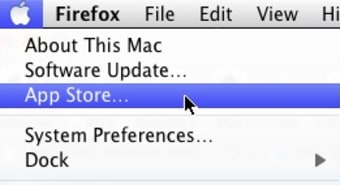
A centralized platform for application management
Mac App Store, developed by Apple, is a free application that provides a centralized platform for Mac users to discover, download, and manage software. The store is designed with a user-friendly interface organized into categorized sections, simplifying navigation through a curation focused on consumer-grade software. This structure helps users find tools and utilities quickly while ensuring software security and compatibility, making it a practical solution for maintaining and enhancing Mac devices.
Top Recommended Alternative

Streamlined software discovery and management
The Mac App Store centralizes all software management tasks, making it easier for users to browse and install applications. However, users must still use System Settings for OS updates and third-party managers for non-Store software. Its interface segments the large app library into clear categories, helping users locate software efficiently based on their needs. The software utilizes StoreKit for all transactions and App Store Connect for developer management, with Universal Purchases allowing a single payment to unlock an application across different devices.
Access to a wide range of free and paid applications supports different user preferences and requirements. Additionally, seamless regular updates ensure users have access to the latest versions and improvements of their chosen applications. However, users should note that the software only manages applications downloaded through the Store. Applications installed through other stores like Homebrew, direct DMG downloads, or Steam must be managed and updated separately.
User-generated ratings and feedback systems
Beyond basic software management, the Mac App Store integrates community-driven features that improve the user experience. User reviews and ratings provide insights into an application’s reliability and overall usefulness, assisting prospective users in making informed choices. Recommendations suggest relevant apps based on previous downloads and interests. Furthermore, all software undergoes vetting for security and compatibility, which adds assurance that the installed applications perform well and pose no risk to the system.
To be listed, applications must follow strict Sandboxing rules, which prevents malicious behavior but also restricts legitimate applications from interacting with other software of the system core.
Focused and reliable for Mac users
The Mac App Store offers a centralized and straightforward platform for software discovery and management on Mac devices. It combines easy navigation, community feedback, and vetting of applications to create a controlled environment with security vetting for users seeking to maintain and expand their software toolkit. While the curated nature may limit availability in some cases, it nevertheless supports a secure and organized experience for a wide range of software needs.